
A new saw blade should cut better than an old one.
So when a new blade cuts slowly, vibrates, burns the material or leaves a rough edge, the buyer naturally suspects the blade quality.
Sometimes that is the correct answer. But not always.
In real production, a new blade can expose problems that the old blade was hiding. The old blade may have been thicker, more forgiving, or simply used in a way the operator was familiar with. The new blade may have a different kerf, tooth count, plate thickness or tooth geometry.
Before rejecting the blade, it is worth checking the full cutting system.
First Question: Is the Blade Correct for the Material?
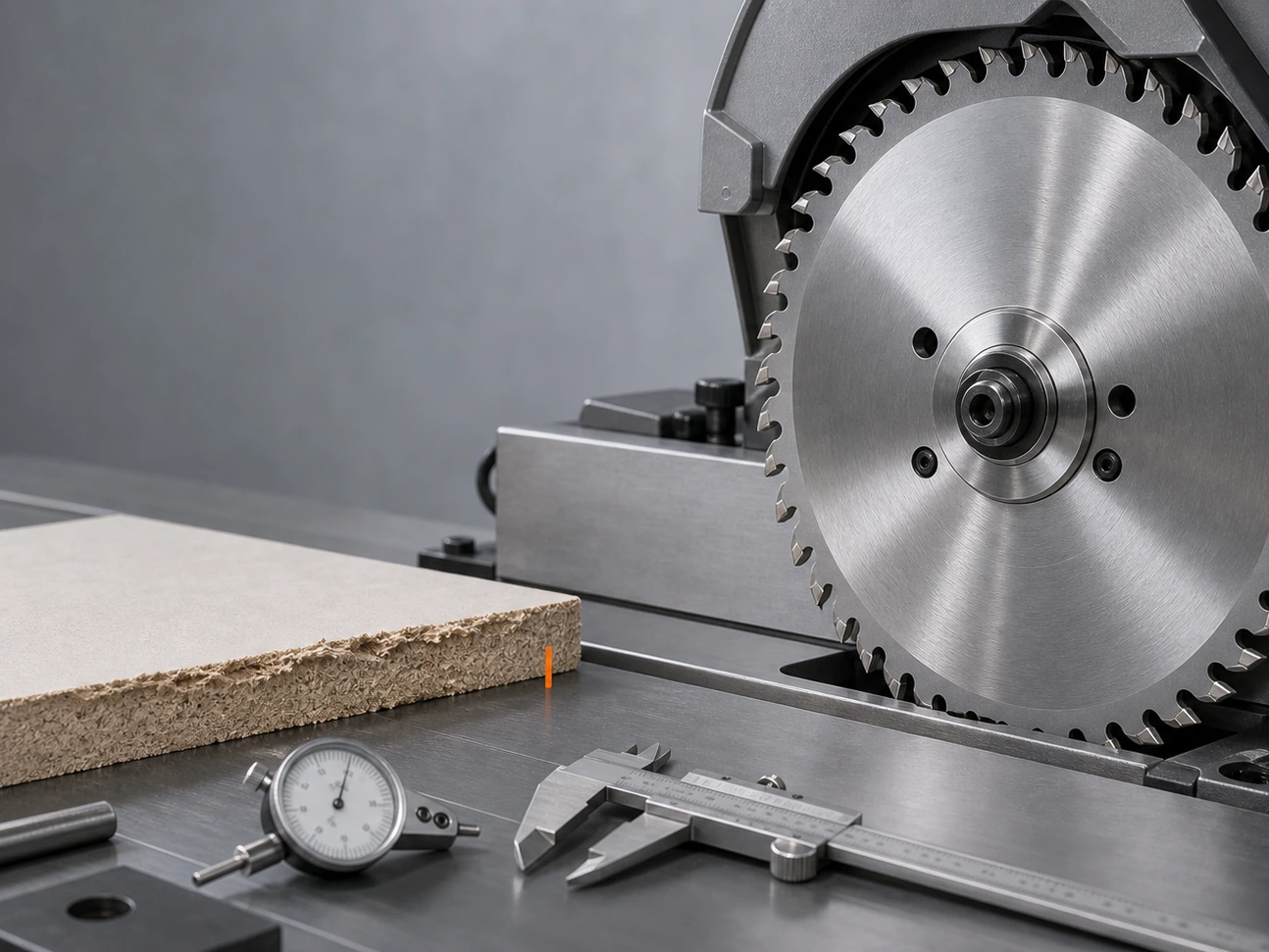
Diameter and bore are not enough.
A blade can physically fit the machine and still be wrong for the job.
For example:
- Too many teeth in thick material can create heat.
- Too few teeth in laminate can chip the edge.
- A ripping blade may not give a clean crosscut.
- A wood blade should not be used for steel.
- An aluminum blade needs suitable tooth geometry and chip control.
When a new blade cuts poorly, confirm the application first:
- Wood, MDF, laminate, aluminum, steel or stone?
- Solid material, tube, profile or board?
- Thin sheet or thick block?
- Rough cutting or finish cutting?
This step sounds basic, but many wrong orders start here.
Check the Bore and Arbor Fit
A small bore mismatch can create a large cutting problem.
If the bore is loose, the blade may not run centered. If reduction rings are poorly fitted, the blade can shift. If the flange does not clamp flat, the blade may wobble.
Common signs include:
- Uneven cut marks
- Vibration at start-up
- Noise during cutting
- Blade rubbing one side
- Poor edge finish even with a new blade
For export orders, buyers should send a photo of the machine arbor or the current blade marking. This prevents many simple mistakes.
Dirty Flange Is a Small Problem With Big Effects
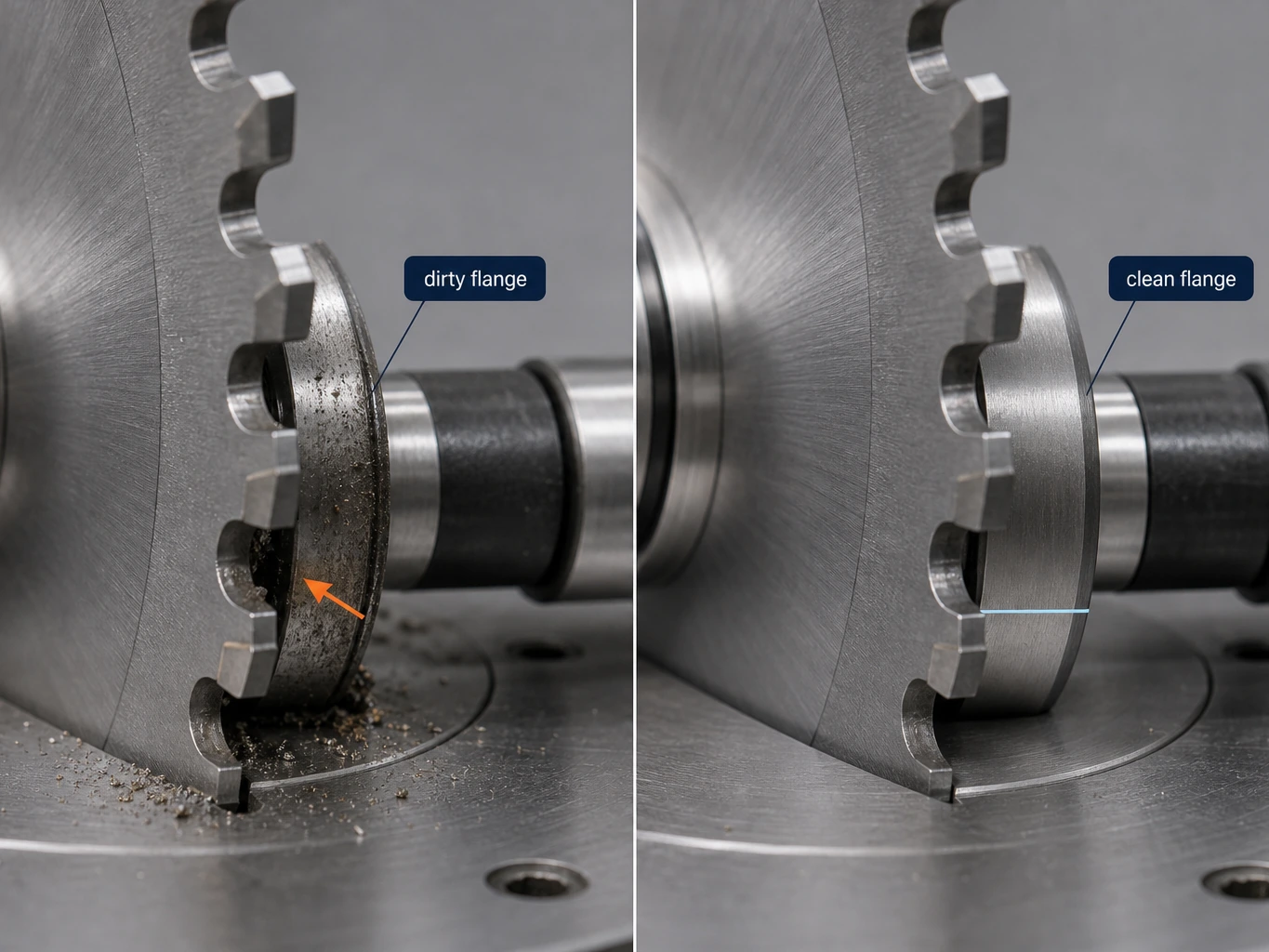
Dust, resin, chips or rust between the blade and flange can make the blade sit unevenly.
This is one of the easiest things to miss.
The blade may be good. The machine may be good. But the mounting surface is not clean. At high speed, even a small uneven contact area can create runout and vibration.
Before judging the blade, clean:
- Inner flange
- Outer flange
- Arbor surface
- Blade bore area
- Any reduction ring
Then remount and test again.
Machine Runout Matters
Spindle runout and flange runout can make a good blade behave badly.
If the machine spindle is worn, bent or unstable, the blade cannot cut straight. A new blade may actually reveal the problem more clearly because the edge is sharper and more responsive.
This is especially important for:
- High RPM tools
- Thin kerf blades
- Fine-tooth blades
- Laminate cutting
- Aluminum cutting
- Precision furniture board cutting
If the same problem appears with different new blades, check the machine.
Feed Speed Can Be Too Slow or Too Fast
Many users slow down when they see burning or chipping. Sometimes that helps. Sometimes it makes the problem worse.
If feed is too slow, the teeth rub instead of cutting. Heat increases. Burn marks appear.
If feed is too fast, the tooth load becomes too high. The edge may chip, the machine may vibrate, and the cut becomes rough.
The correct feed depends on material, tooth count, machine power and blade design.
Material Stress Can Pinch the Blade
Some materials close after cutting.
This can happen with certain boards, solid wood, plastic and metal profiles. The blade begins cutting normally, then the cut becomes heavy. The user thinks the blade is dull, but the material is squeezing the blade plate.
In this case, a different kerf, better side clearance, improved support or different cutting method may be needed.
When It Really Is a Blade Problem
Of course, blade quality matters.
Real blade problems may include:
- Poor carbide grade
- Bad grinding
- Uneven tooth height
- Poor brazing
- Plate deformation
- Excessive runout
- Incorrect tension
- Wrong heat treatment
If machine, material and operation are confirmed, these points should be checked with the supplier.
A Practical Troubleshooting Order
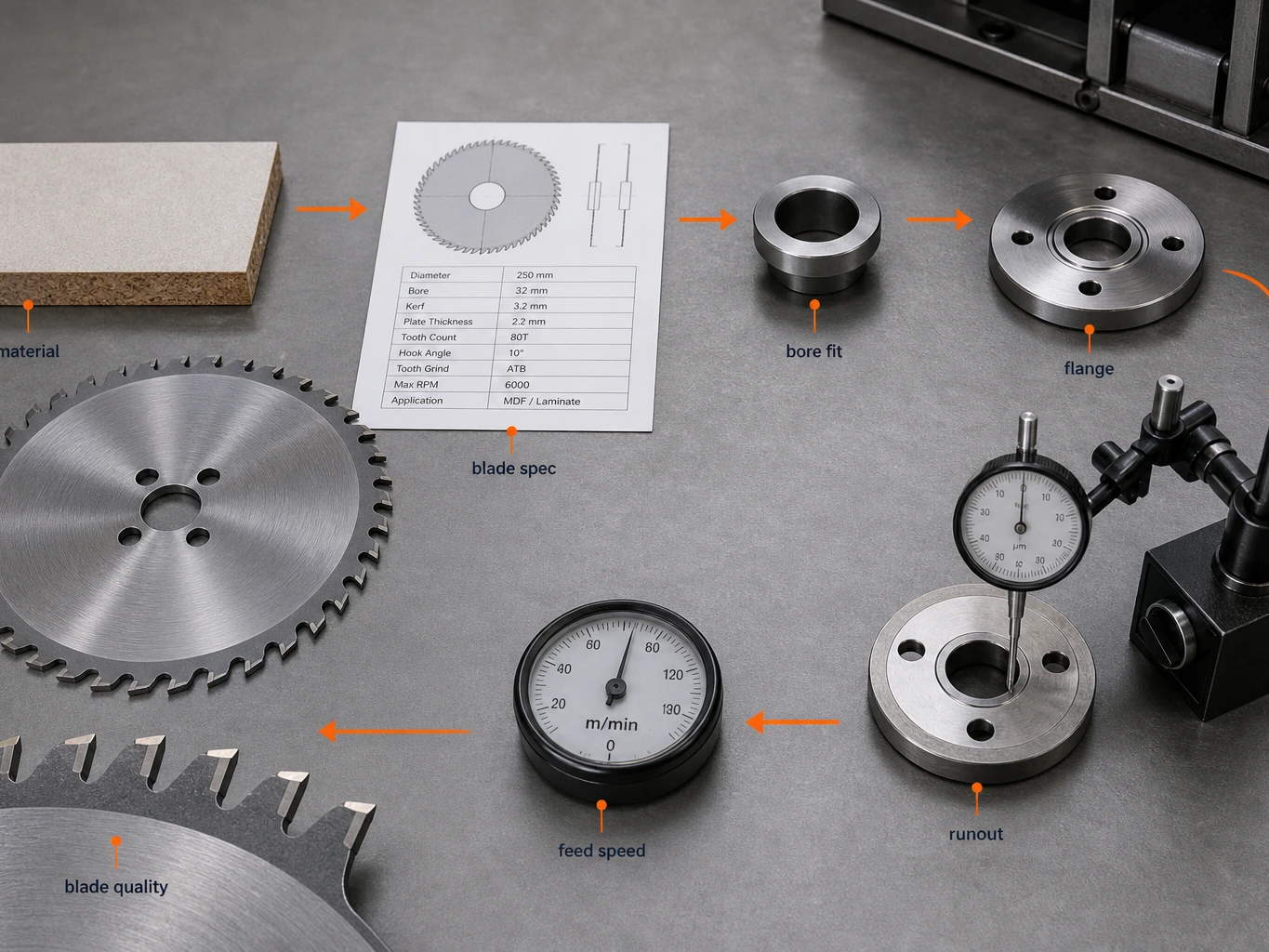
When a new blade cuts poorly, check in this order:
- 1. Confirm material and application
- 2. Confirm blade specification
- 3. Clean flange and arbor
- 4. Check bore fit
- 5. Check machine runout
- 6. Adjust feed speed
- 7. Inspect resin buildup or chip packing
- 8. Compare with a known good blade
- 9. Ask supplier to review tooth geometry and grade
This saves time because it separates selection problems from manufacturing problems.
Final Thought
If the blade is worn rather than incorrectly specified, follow our professional resharpening and replacement checklist.
A new saw blade that cuts poorly is frustrating, but it does not always mean the blade is defective.
For buyers, the goal is not to blame faster. The goal is to identify the cause faster.
If a supplier helps you check material, machine and blade together, the next order becomes safer. If a supplier only says “our blade is good,” that is not enough.
Good blade buying is not only about price. It is about making the blade, machine and material work together.
Before blaming a blade for vibration or poor finish, follow our saw blade runout measurement guide to isolate the blade, arbor and flange with a dial indicator.